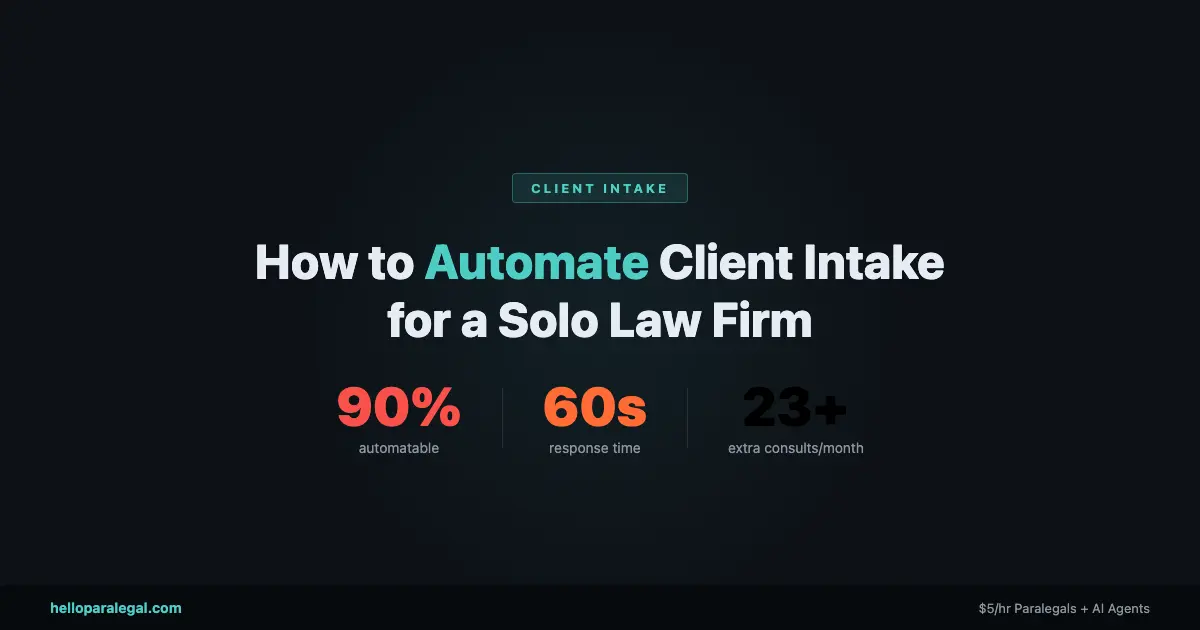
If you’re a solo lawyer handling your own intake, you’re losing cases you don’t even know about. A potential client calls at 7 PM, gets your voicemail, and hires the firm that called back in three minutes. That firm might be worse than you. It doesn’t matter. Speed wins.
Automating client intake for a solo law firm using AI is the single highest-ROI change you can make to your practice right now. Not a new website. Not more ads. Intake. And in 2026, you don’t need a tech team or a six-figure budget to do it.
This guide covers exactly how to set it up, which tools actually work, and what it costs, based on real results from firms that have already done it.
Why Your Intake Process Is Losing You Cases Right Now
Here’s a number that should bother you: 67% of legal consumers make their hiring decision based on how fast a firm responds. Not on the lawyer’s experience. Not on reviews. Speed.
Firms that respond within five minutes of an inquiry see a 400% higher conversion rate than those who take an hour or more. Most solo attorneys can’t respond in five minutes. You’re in court. You’re in a deposition. You’re sleeping.
The average voicemail drop-off rate in legal intake is 74%. Three out of four people who hit your voicemail don’t call back. They move on.
Think about what that means for your practice. If you’re getting 20 inquiries a month and converting 10%, you’re signing 2 cases. Fix intake, and you could be signing 7. Same ad spend. Same effort. More clients.
This isn’t hypothetical. Frontier Law Center reduced their average case onboarding time from 90 minutes to 40 minutes after automating intake, and increased lead conversion from 10% to 35%. That’s the real impact of AI client intake done right.
What AI Client Intake Actually Does
Before we get into setup, let us be clear about what AI intake means in practice. It is not a chatbot that says Hello and then tells you to email your attorney.
A proper AI intake system does several things at once:
- Responds instantly, 24/7, to calls, web forms, texts, and chat messages
- Asks practice-specific qualification questions (for PI: accident date, injury type, insurance; for divorce: marriage length, assets, kids, whether the other party retained counsel)
- Scores and routes leads based on how valuable they are to your firm
- Books consultations directly into your calendar
- Sends confirmation emails and SMS reminders to cut no-shows
- Pushes data into your CRM or case management software automatically
Done well, the potential client never knows they are talking to an AI. They call, answer a few questions, get a consultation booked, and receive a confirmation. You wake up with three qualified leads scheduled.
That is what we are building.
The 5-Step System to Set Up AI Intake at Your Solo Firm
You do not need to do all of this at once. Start with step one and layer on the rest over a few weeks.
Step 1: Map Your Current Intake Flow
Write down every way a potential client can contact you right now. Phone. Website form. Google Business message. Referral text. Email. Now write down what happens at each touchpoint, and how long it typically takes you to respond.
Be honest. If you usually get back to web form submissions within 24 to 48 hours, write that down. That is where you are bleeding cases.
Step 2: Choose Your AI Intake Tool
This depends on your budget and how you receive most of your leads. See the comparison table below for a full breakdown. For most solo attorneys, the decision comes down to three options:
- Lawmatics if you want an all-in-one CRM with AI built in
- Smith.ai if most of your leads come in via phone and you want humans backed by AI
- Clio Grow if you are already on Clio Manage and want the simplest path
Step 3: Build Your Intake Script
Every AI intake tool will ask you to define the questions it should ask. Do not skip this step. A generic intake form is almost as bad as no intake form.
For a personal injury firm in Tampa, your script should capture: accident date, type of injury, whether the other party had insurance, whether you have spoken to an adjuster, and whether you have seen a doctor. That is your script. It is completely different from a family law firm in Denver, where you would ask about length of marriage, children, prenup status, and whether the other party has already retained counsel.
Write these questions out before touching any software. The AI delivers them. You design the logic.
Step 4: Connect Your Calendar and CRM
The intake system is only valuable if it connects to the rest of your stack. At minimum, you need two integrations:
- Your calendar (so the AI can book consultations, not just collect contact info)
- Your case management software or CRM (Clio, MyCase, PracticePanther, or even a spreadsheet to start)
Most tools have native integrations. Lawmatics integrates with Clio. Smith.ai integrates with MyCase. If your preferred tools do not connect natively, Zapier or Make can bridge most gaps for under /month.
Step 5: Test It Like a Client Would
Before going live, call your own number at 11 PM on a Friday. Fill out your own web form. Ask a weird question. See what happens.
If the system handles an odd question gracefully and still moves the prospect toward booking, you are ready. If it gets confused and drops the conversation, fix the script first.
This is the step most solo attorneys skip. Do not skip it.
Best AI Tools for Solo Firm Client Intake in 2026
Not every tool on this list is right for every firm. Here is an honest breakdown.
| Tool | Best For | Starting Price | Key Strength | Key Weakness |
|---|---|---|---|---|
| Lawmatics | Firms wanting full CRM + AI intake in one | ~/mo | QualifyAI and EngageAI built in; announced March 2026 | Can feel like overkill for a true one-person shop |
| Smith.ai | Phone-heavy intake with human fallback | ~/mo (30 calls) | Real humans + AI hybrid; warm prospect experience | Costs scale fast with call volume |
| Clio Grow | Existing Clio Manage users | ~/mo bundled | Native Clio integration; simple, fast setup | Less AI depth than standalone tools |
| MyCase + NextPhone | Phone intake automation | ~/mo add-on | Calls sync to MyCase automatically | Requires existing MyCase subscription |
| Ruby Receptionist | Firms wanting pure human touch | ~/mo (50 min) | Real humans; warm, professional tone | No AI features; phone only |
| Gavel | Document-heavy intake (estate planning, contracts) | ~/mo | Intake data auto-populates legal documents | Not a CRM; needs integration for follow-up |
Worth calling out specifically: Lawmatics announced their full AI Suite in March 2026, adding QualifyAI, EngageAI, and MerlinAI as native features. For a solo attorney who wants to do this once and not revisit it, Lawmatics at /month is the most complete setup available right now.
For research on how these platforms compare, the Clio Legal Trends Report and the MyCase intake automation guide both have useful benchmark data.
What Most Guides Get Wrong About AI Client Intake
Most articles about AI intake treat it as a technology problem. Here are 10 tools. Pick one. That is the wrong frame.
The biggest failures in AI intake come from three non-tech mistakes:
Generic intake scripts. If your AI asks What is your legal issue and nothing else, you have not improved anything. You have added friction. The script matters more than the software.
No follow-up after the initial message. A lot of solo attorneys install an intake chatbot on their website and call it done. But 60% to 70% of leads do not convert on first contact. You need automated follow-up sequences. Lawmatics and Clio Grow both support drip follow-up. Use it.
Treating intake as separate from case management. If your intake data lives in one system and your case data lives in another, you will spend 25 minutes per new matter re-entering information manually. That is 29+ hours a month for a busy solo practice. The point of automation is eliminating that handoff entirely. Connect your systems.
The attorneys who get the best results treat intake automation as a full workflow, not a single tool. The AI captures the lead. The CRM nurtures it. The calendar books it. The case management system inherits the data. No manual steps between them.
What Does AI Intake Cost? An Honest ROI Breakdown
Here are real numbers for a solo personal injury attorney seeing about 40 inquiries per month.
Current state (no automation):
- 40 inquiries per month
- 10% conversion rate = 4 cases signed
- Average case value: ,200
- Monthly revenue from intake: ~,800
- Time spent on intake manually: ~6.4 hours/month
With AI intake automation:
- Same 40 inquiries
- 25% to 35% conversion rate (Frontier Law Center benchmark) = 10 to 14 cases signed
- Average case value: ,200
- Monthly revenue from intake: ~,000 to ,800
- Time spent on intake: ~0.8 hours/month
- Tool cost: to /month
You are spending to a month to potentially add ,000 or more in monthly revenue. That is not a close call.
Even a modest improvement from 10% to 20% conversion adds ,400/month against a tool cost. The ROI is obvious at almost any case volume.
What about setup? Most AI intake tools take 4 to 8 hours to configure yourself. Hire someone from Hello Paralegal to handle setup and you are looking at a one-time cost to get it done right without spending a weekend learning the software.
Is Automating Client Intake Ethically Compliant? Bar Rules Explained
This is the question every solo attorney asks, and it is a fair one. The short answer: yes, AI intake is ethically compliant in virtually every jurisdiction, provided you follow a few rules.
Disclosure. Some states require that clients be informed they may be communicating with an AI. California and New York have both issued guidance on this. The fix is simple: include a brief disclosure at the start of your intake chatbot or phone script. I am an AI assistant for Firm Name satisfies most state bar requirements and rarely causes prospects to disengage.
Confidentiality. Information shared during intake may be subject to attorney-client privilege considerations. Use tools with data encryption and clear privacy policies. Lawmatics and Clio are built for legal compliance. Do not use a generic chatbot tool that stores data on unsecured third-party servers.
Unauthorized practice of law. Your AI should not give legal advice. It can ask qualifying questions, describe your firm services, and book consultations. It cannot tell a prospect whether they have a strong case or explain what their rights are. Keep the AI in the logistics lane.
At least 14 state bar associations have issued formal guidance on AI use in legal practice as of early 2026. Check the ABA AI resources for lawyers and your specific state bar guidance before deploying any AI client communication tool.
And if you are in a state where disclosure requirements are ambiguous, default to disclosing. It protects you and it rarely costs you the client.
Can a Solo Lawyer Set This Up Without a Tech Team?
Yes. But without a tech team does not mean without any help at all.
Here is what most solo attorneys can handle in a weekend:
- Sign up for Lawmatics, Clio Grow, or Smith.ai
- Write the intake script for your primary practice area
- Connect it to Google Calendar or Outlook
- Test it with a few fake submissions
Here is what tends to get complicated without help:
- Multi-step CRM automations (lead scoring, drip sequences, automatic follow-up)
- API integrations between tools that do not connect natively
- Conditional intake logic for multiple practice areas
If you are in that second category, that is exactly what we do at Hello Paralegal AI workflow service. We map your intake process, build the automation, and hand it off working. You do not need to learn the tech.
A PI lawyer in Phoenix had us build her intake system in February 2026. She was getting 30 to 35 calls a month and converting about 3 to 4 cases. Eight weeks later she is converting 9 to 12. Same ad spend. Same practice. Just a different first response.
According to data from Everlaw 2025 legal AI report, lawyers using AI tools save up to 32.5 working days per year. That is six weeks back in your calendar. For a solo attorney, that is the difference between a sustainable practice and a burnout spiral.
Frequently Asked Questions
How long does it take to set up AI client intake for a solo law firm?
Most solo attorneys get a basic AI intake system running in 4 to 8 hours. A full build with CRM integration, drip follow-up, and multi-practice-area logic takes 10 to 20 hours. If you hire someone to build it, expect 1 to 2 weeks from kickoff to go-live.
Can AI intake handle multiple practice areas?
Yes. Tools like Lawmatics and Clio Grow let you build separate intake flows for different practice areas. A divorce inquiry gets one set of questions. A PI inquiry gets another. The system routes prospects based on what they say at the start of the conversation.
Will clients know they are talking to an AI?
Modern AI intake systems are designed to sound natural, not robotic. Most clients do not notice or do not care. To stay compliant, include a brief disclosure at the start. This satisfies most state bar requirements and rarely causes prospects to disengage.
What happens to leads that do not book a consultation?
This is where CRM follow-up automation matters. If a prospect starts intake but does not book, your system should automatically send a follow-up email or text within 24 hours. Lawmatics calls this an incomplete lead sequence. Set it up once and it runs on its own. Firms typically recover 15% to 25% of unbooked leads this way.
Is AI intake worth it for a solo practice with under 20 leads per month?
Even at 15 to 20 leads per month, the math works if your average case value is above ,500. A 10-point improvement in conversion at 20 leads means 2 more clients monthly. At ,000 average case value, that is ,000/month on a tool. The ROI holds at almost any volume.
What is the difference between a virtual receptionist and an AI intake agent?
A virtual receptionist (like Ruby Receptionist) is a real human answering your calls. An AI intake agent is software. The hybrid model (Smith.ai) uses AI to handle the initial interaction and escalates to a human when needed. For most solo firms, the hybrid approach offers the best balance of cost and conversion quality.
Does AI intake work for referral-based practices?
Yes, but the friction point is different. Referral leads come in warm, so the priority is speed-to-consultation rather than qualification. An AI intake system still helps by booking the consultation the moment the referral reaches out, rather than playing phone tag for three days. Even warm leads go cold if you are slow.
Stop Losing Cases to a Slow First Response
Client intake is the one part of your practice where a /month investment can directly translate to tens of thousands of dollars in additional annual revenue. The technology is there. The tools are built for solo attorneys. The bar rules are manageable.
What is actually stopping most solo lawyers is not budget or ethics. It is time. Setting it up takes time you do not have.
That is the problem Hello Paralegal solves. We build the intake automation for you, connect it to your existing tools, and hand it off working. Learn more at helloparalegal.com or explore our AI workflow automation service for law firms.
Leave a Reply