Author: Ann

  • What Is Agentic AI for Lawyers? The Plain-English Guide (2026)

    You’ve heard the term. Maybe at a CLE, maybe in a podcast ad, maybe from the vendor who emailed you three times last month. Agentic AI. It sounds technical. It probably made you think of robots or science fiction. And you probably filed it in the same mental drawer as “blockchain” and “the metaverse” and moved on.

    That was the right call for most AI buzzwords. It’s the wrong call for this one.

    Agentic AI for lawyers isn’t a tech trend. It’s a structural change in what a one-person or two-person law firm can actually do. This guide explains exactly what it is, how it works inside a real practice, what the ABA says you need to know before you deploy it, and how to tell the real thing from the hype.

    No jargon. No sales pitch. Just what’s true.

    Table of Contents

    The One-Sentence Definition (And Why It Changes Everything)

    Agentic AI is an AI system that takes action on your behalf, without you clicking anything, across multiple software tools, to complete a task from start to finish.

    That’s it. That’s the whole definition. But unpacking what “takes action without you clicking anything” actually means is where this gets interesting.

    Every other AI tool you’ve used requires you to do something. You open ChatGPT. You type a prompt. You read the response. You copy it somewhere. You decide what to do next. The AI helped you, but you were still the one driving. You had to be present, paying attention, making the next move.

    An agentic AI system doesn’t wait for you. It watches for things to happen, decides what to do when they do, executes across your actual software systems, and completes the task. You’re not in the loop until it needs a decision only you can make.

    For a solo lawyer who’s already doing the work of three people, the gap between “AI helps me work faster” and “AI handles entire workflows while I’m in a deposition” isn’t incremental. It’s the difference between running faster on a treadmill and getting off the treadmill entirely.

    Agentic AI vs. ChatGPT vs. Legal Software: An Honest Comparison

    Before you can evaluate anything, you need a map of the space. There are three distinct categories of AI being marketed to lawyers right now. They are not interchangeable, and conflating them leads to expensive mistakes.

    Type Examples Who Starts the Work? Who Finishes It? Runs While You Sleep?
    AI Assistants ChatGPT, Claude.ai, Gemini You (type a prompt) You (copy output, act on it) No
    AI-Enhanced Software Clio Duo, Harvey, Westlaw AI, Ironclad You (log in, use the feature) You (apply the output inside the tool) No
    Agentic AI Hello Paralegal agent stacks, custom agent deployments A trigger (event-based) The agent (end-to-end) Yes

    This distinction matters because most of what’s being sold to lawyers right now is category one or two. It’s powerful. It’s worth using. But it doesn’t change the fundamental problem of a solo practice: you’re still the bottleneck. You still have to be there, operating the tool, making the next move.

    Category three removes you from the loop for everything that doesn’t require your law license. That’s the shift.

    And don’t confuse agentic AI with workflow automation tools like Zapier or Make. Those follow if-then rules. They don’t reason. An automation rule might say: “If a form is submitted, send an email.” An agent reads the form, understands what the person wrote, decides whether to send a personalized response or flag it for your review, runs a conflict check, and books a consultation on your calendar if the matter qualifies. The automation fires a trigger. The agent handles what happens next.

    How Agentic AI Actually Works: The Four Components

    Every agentic AI system, whether simple or sophisticated, runs on four components. Understanding these is what lets you evaluate any vendor claim honestly.

    1. Triggers

    Something has to start the agent. Triggers are the events that wake it up. In a law firm context, common triggers include:

    • A new intake form submission on your website
    • An inbound call to your firm’s phone number
    • An email arriving in a monitored inbox
    • A calendar event ending (like a consultation finishing)
    • A status change in your CRM or case management system
    • A scheduled time (“every Monday at 7am, run the deadline review”)
    • An invoice going unpaid for 14 days

    Without a trigger, there’s no agent. There’s just software waiting for you to log in. The trigger is what makes the system autonomous rather than just helpful.

    2. Reasoning

    When a trigger fires, the agent loads the relevant context and starts reasoning. A large language model (Claude, GPT-4o, or similar) reads the incoming information, considers what’s already known about this client or matter, evaluates the situation against the criteria you’ve defined, and decides what to do next.

    This is not a rule. A workflow rule says: “If form submitted and practice area = PI, send template A.” An agent reads the form, understands what the person actually described, assesses urgency, identifies gaps in the information, checks your defined criteria, and decides whether to send a personalized response, ask a clarifying question, book a consultation, or flag the matter for your review. The decision is contextual. It adapts.

    3. Tools

    Reasoning without action is just thinking. The agent needs tools (API connections to your actual software systems) to do things in the real world. Each tool is a specific capability: send an email, create a calendar event, query Clio, create a matter record, run a web search, send an SMS, generate a document from a template.

    The agent decides which tools to use and in what sequence. A single intake workflow might chain: conflict check (CRM query), availability check (calendar query), booking (calendar create), confirmation email (email send), matter record (CRM create). All of that happens in under three minutes. You didn’t touch any of it.

    4. Memory

    Without memory, every interaction starts from scratch. With memory, the agent knows who it’s dealing with and what’s happened before.

    Short-term memory is the context window: everything the agent knows about the current task, held in the model’s working memory for the duration of that workflow run. Long-term memory is external storage: structured records written to your CRM or a database that the agent retrieves at the start of each new interaction with a known contact.

    When a client who called six weeks ago calls again, the agent loads their matter record before picking up. It knows their name, their case type, the date of the accident, that they signed a retainer two weeks ago, and that there’s a document request still outstanding. It doesn’t ask them to start over. That’s memory in practice. And that’s what turns a tool into something that feels like a staff member.

    What Agentic AI Looks Like Inside a Real Law Firm

    Abstract definitions only go so far. Here’s what agentic AI looks like running inside an actual practice.

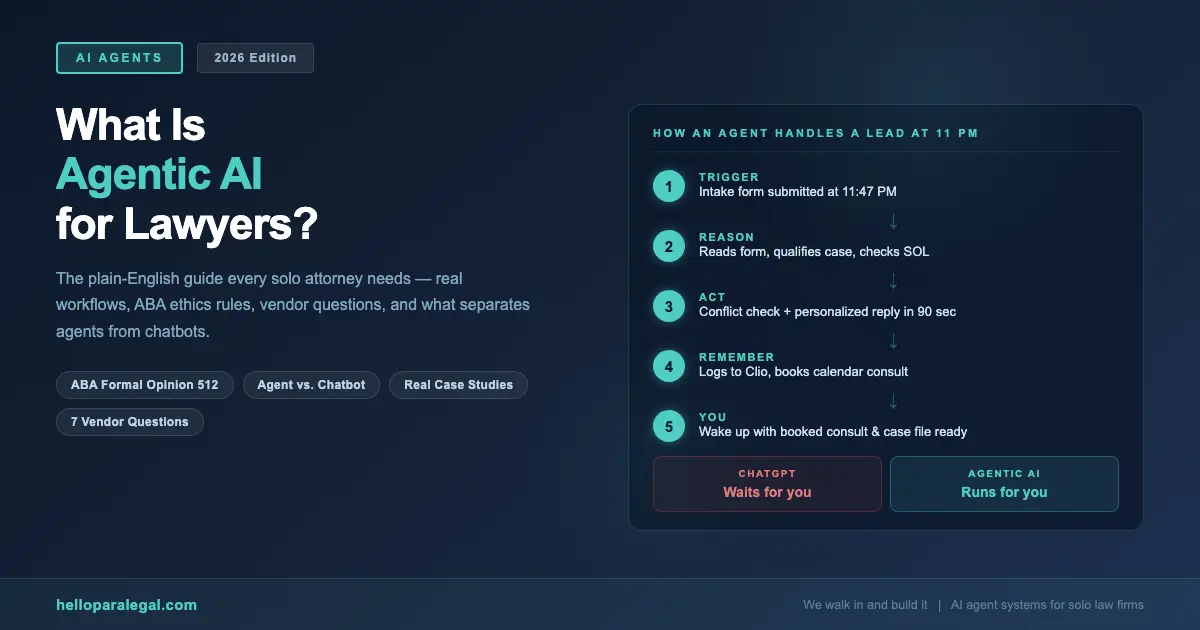
    Scenario: A Personal Injury Lead at 10:47 PM

    Maria is a solo PI attorney in Austin. She uses Clio for case management, Calendly for scheduling, and Gmail for client communication. An intake agent is connected to all three.

    At 10:47 PM on a Tuesday, someone fills out her web intake form. They describe a rear-end accident from three weeks ago, mention soft tissue injuries, and leave their number.

    Here’s what happens next, in order, with no human involved:

    1. The intake form submission triggers the agent (10:47:31 PM)
    2. The agent reads the submission and identifies: PI matter, Austin jurisdiction, recent accident, medical treatment mentioned, case appears within SOL (10:47:32 PM)
    3. The agent runs a conflict check against Maria’s Clio client database (10:47:33 PM): no conflict found
    4. The agent generates a personalized response email referencing the specific accident details, includes a direct booking link for a free 30-minute consultation, and asks one clarifying question about whether they’ve spoken to the other driver’s insurance yet (10:47:34 PM)
    5. Email sent (10:47:35 PM)
    6. The prospect books a Thursday 2 PM consultation at 11:03 PM
    7. The booking trigger fires: agent creates a preliminary matter record in Clio with all intake data, adds a calendar event with a pre-consultation prep note, and sends the prospect a confirmation email with instructions to bring photos and any insurance correspondence
    8. Maria’s Monday morning briefing (auto-generated every Monday at 7 AM) includes: “New consultation booked (Thursday 2 PM) PI, Austin, auto accident, no conflict. Clio record created.”

    Maria did nothing. She wasn’t awake. By 11 PM that night, a qualified lead had been contacted, conflict-checked, and booked. Her conversion rate on web leads went from 34% (when she could respond the next morning) to 61% (with sub-90-second response). That difference is $94,000 in annual fees at her case volume. (We ran the math.)

    Scenario: Billing Follow-Up Without the Awkward Call

    A billing agent monitors invoice status in Clio. When an invoice hits 14 days unpaid, the agent sends a gentle reminder with a payment link. At 21 days: a follow-up noting the outstanding balance and asking if there are any questions. At 30 days: the agent flags the matter for attorney review with a draft follow-up email ready to approve.

    A family law solo in Denver who deployed this agent saw her average invoice payment time drop from 47 days to 19 days. Her accounts receivable dropped by $38,000 in the first quarter. She did zero uncomfortable “have you paid yet” calls.

    What Most Articles Get Wrong About Agentic AI for Lawyers

    There’s a lot of noise on this topic. Here’s what to ignore.

    Wrong: “Agentic AI will replace lawyers.” It won’t, and this framing is actively unhelpful. Agentic AI takes over Lane 2 work, operations, intake, scheduling, follow-up, billing, document assembly from templates. It doesn’t reason about law. It doesn’t strategize. It doesn’t advocate. The work that requires a law license stays with the lawyer. That’s not a limitation of the technology. It’s just an accurate description of what these systems do.

    Wrong: “Any AI that does multiple steps is agentic.” Not quite. True agentic systems make contextual decisions. A workflow automation that sends a template email when a form is submitted isn’t agentic. It’s a rule. An agent that reads the form, decides whether the case qualifies, personalizes the response based on what the person wrote, and routes accordingly. That’s agentic. The difference is decision-making under conditions that weren’t explicitly pre-programmed.

    Wrong: “You can just deploy an agent yourself using no-code tools.” You can get partway there with tools like Make or Zapier with OpenAI connections. But connecting an agent meaningfully to Clio, your calendar, your conflict database, your document templates, and your phone system, in a way that handles edge cases, doesn’t hallucinate into client matters, and passes an ethics review , requires actual integration work. The tools exist. The build is not trivial.

    Wrong: “Set it and forget it.” Agents require ongoing attention. Triggers change. Client scenarios evolve. An agent that handled intake perfectly for a PI practice needs adjustment when you add estate planning. Review agent performance monthly. Catch what breaks. Update the criteria. This is maintenance, not “set and forget.”

    The ABA Ethics Rules That Apply: Read This Before You Deploy

    The ABA issued Formal Opinion 512 in July 2024. It’s the clearest guidance the profession has on AI tools, including agentic systems, and it covers six core obligations: competence, confidentiality, communication, candor toward the tribunal, supervisory duties, and fees. If you haven’t read it, the ABA’s professional responsibility resources are the place to start.

    Here’s what it means practically for agentic AI:

    Competence (Rule 1.1)

    You’re required to understand the tools you use. Not at a code level. But you need to know what your agent can and can’t do, where it makes decisions, what it flags for human review, and how it handles errors. “My vendor set it up” is not a competence defense. You have to know enough to supervise it.

    Supervision (Rule 5.3)

    Every non-lawyer doing work in your practice (human or AI) requires adequate supervision. For an agentic AI system, that means: defined human review checkpoints for anything that touches client rights or legal advice, audit logs you can actually access, and a regular review process for what the agent is doing autonomously. An agent that sends client communications without any attorney review mechanism violates Rule 5.3. Build the review checkpoints in from day one.

    Confidentiality (Rule 1.6)

    Before you connect any agent to client data, ask where that data goes. Which model provider handles the reasoning? What are their terms on training data use? Is there an audit log? Is the communication encrypted? “We use AI” is not an answer. “We use Claude via Anthropic’s enterprise API under commercial terms that prohibit training data use, with all client data encrypted at rest and in transit” is an answer. Get it in writing.

    Communication (Rule 1.4)

    Your engagement letter should disclose that AI systems are involved in your practice. Clients don’t need a technical briefing. But they should know that non-attorney systems handle parts of their intake, scheduling, and routine communications. And that all substantive work is attorney-reviewed. This is both an ethics requirement and, honestly, a trust-builder.

    The North Carolina Bar Association’s guidance on agentic AI offers a useful state-level perspective. Several states are now issuing their own opinions on top of the ABA framework. If you’re in Texas, California, or New York, check your state bar’s AI guidance specifically.

    7 Questions to Ask Any Agentic AI Vendor

    The market is full of tools calling themselves AI agents. Most are chatbots with a new label. Here are the questions that separate real from fake.

    1. Does it make decisions, or follow rules? Ask for a specific example where the agent handled a scenario that wasn’t explicitly programmed. If they can’t give you one, it’s an automation tool, not an agent.
    2. What triggers does it connect to? A real agent system connects to your actual triggers: web forms, phone calls, calendar events, CRM status changes. “It works through our dashboard” means you’re still the trigger.
    3. What systems does it integrate with natively? It should name your practice management system (Clio, MyCase, PracticePanther, Lawmatics) and your calendar and email. Vague answers here mean painful manual workarounds later.
    4. Where does my client data go, and under what terms? You need a specific answer: which model provider, what their commercial data terms are, and whether there’s an enterprise agreement that prevents training data use.
    5. What does the human review checkpoint look like? Every legitimate agentic AI system for law firms has defined points where attorney review is required. Ask exactly what those are. If everything is autonomous with no review, walk away.
    6. Can you show me an audit log? You need to be able to see what the agent did, when, and why. This isn’t optional. It’s a Rule 5.3 requirement. If there’s no audit trail, there’s no supervision mechanism.
    7. Who built the integrations, and who maintains them? An agent that works on day one but breaks when Clio updates its API is not a finished product. Ask who handles ongoing maintenance and what the SLA looks like when something breaks.

    At Hello Paralegal, we can answer all seven in detail before we take a dollar. If a vendor can’t, that tells you what you need to know.

    What Agentic AI Costs in 2026: Real Numbers

    Nobody publishes pricing. Here’s what’s actually out there, based on what firms are paying.

    Approach Monthly Cost What You Get Build Time Who Maintains It
    DIY (Make/Zapier + OpenAI) $150–$400/mo in platform fees Rule-based automations, limited reasoning 20–80 hrs of your time You
    Legal SaaS with “AI agents” $300–$800/mo AI features inside one platform 1–2 weeks setup The vendor
    Custom build (dev agency) $2,000–$8,000/mo retainer Fully custom, any integration 6–12 weeks Agency (costly)
    Managed deployment (Hello Paralegal) $600–$1,200/mo depending on scope Purpose-built for law firms, maintained 2–4 weeks Hello Paralegal

    The DIY path sounds cheapest until you factor in the 60+ hours of setup time, the ongoing maintenance when integrations break, and the fact that most “agentic” DIY builds are really just multi-step Zapier flows with no real reasoning layer. They handle the scenario you built for and nothing else.

    The ROI math is worth running with your own numbers. A solo attorney billing at $300/hour who recovers 1.5 billable hours per day by offloading Lane 2 work to an agent generates $112,500 in additional annual billing capacity. Against a $1,000/month agent deployment cost, that’s a 9x return. Before accounting for leads you’re currently losing because you can’t answer the phone during depositions.

    And here’s the thing most attorneys don’t consider: the agent doesn’t take sick days, doesn’t need PTO, doesn’t quit after 14 months when their spouse gets a job in another city. The $600–$1,200/month is a fixed, predictable operational cost. Not a salary, not benefits, not recruiting fees.

    Frequently Asked Questions

    What is agentic AI in simple terms for lawyers?

    Agentic AI is an AI system that takes action on your behalf, without you clicking anything, across multiple software tools, to complete a task from start to finish. Unlike ChatGPT (which waits for you to type a prompt) or legal software like Clio (which you have to log into and operate), an agentic AI system runs automatically when triggered by events (a new intake form, a phone call, an unpaid invoice) and completes the task across your actual systems without your involvement until a decision requires your judgment.

    Is agentic AI different from workflow automation tools like Zapier?

    Yes, significantly. Workflow automation tools like Zapier or Make follow explicit if-then rules that you define in advance. They handle exactly the scenario you programmed and nothing else. Agentic AI uses a large language model to reason about the situation and make contextual decisions. It can handle scenarios that weren’t explicitly pre-programmed, adapt its response based on what it reads, and chain multiple tools in sequence based on what it decides. The distinction matters because real client interactions don’t follow scripts.

    Does the ABA allow lawyers to use agentic AI?

    Yes, with proper supervision and disclosure. ABA Formal Opinion 512 (2024) addresses lawyer obligations when using AI tools, including autonomous systems. The core requirements are: competence (you must understand what the system does), supervision under Rule 5.3 (you need human review checkpoints for agent outputs that affect client matters), confidentiality protection under Rule 1.6 (you need to know where client data goes and under what terms), and client disclosure. Agentic AI is permitted. It requires the same ethical infrastructure as any non-lawyer staff member, just applied to a different type of tool.

    What tasks can agentic AI handle autonomously in a law firm?

    Agentic AI handles operational tasks that don’t require legal judgment: client intake (qualifying leads, running conflict checks, scheduling consultations), phone answering and call handling, post-consultation document preparation, invoice follow-up and payment reminders, deadline monitoring and weekly briefings, routine client status communications, document drafting from approved templates, and billing entry. It does not give legal advice, represent clients, or make strategy decisions. Those stay with the attorney.

    How much does agentic AI cost for a solo law firm?

    Costs vary widely depending on approach. DIY builds using Make or Zapier with AI connectors run $150–$400/month in platform fees plus significant setup time. Legal SaaS platforms with “AI agent” features run $300–$800/month. Purpose-built managed deployments designed specifically for law firms, like those from Hello Paralegal, run $600–$1,200/month depending on scope and include build, integration, and ongoing maintenance. Custom dev agency builds run $2,000–$8,000/month.

    Will agentic AI replace paralegals?

    No, not wholesale. Agentic AI handles high-volume, repetitive, rule-adjacent tasks well: intake, scheduling, billing follow-up, status communications, document assembly from templates. It doesn’t replace the judgment, client relationship skills, and substantive legal knowledge of a trained paralegal doing complex work like deposition prep, litigation support, or nuanced research. The more accurate picture: agentic AI handles the operational layer, freeing human paralegals (and attorneys) for higher-value work. At Hello Paralegal, we combine trained remote paralegals with AI workflow automation, one doesn’t replace the other.

    How do I know if a vendor’s product is actually agentic AI?

    Ask two questions. First: “Can you show me an example where the system handled a scenario that wasn’t explicitly pre-programmed?” A real agent can. An automation tool cannot. Second: “What is the reasoning layer?” A real agentic system uses an LLM (Claude, GPT-4o, etc.) to make contextual decisions. If the vendor describes an if-then rule system, it’s workflow automation with an AI label. Both can be useful. But they’re different products with different capabilities, and you should pay accordingly.


    If you want to see agentic AI running inside a real law firm rather than described in a blog post, that’s exactly what we do. Hello Paralegal deploys agent systems built specifically for solo and small law firms. We handle the build, the integration, the ethics infrastructure, and the ongoing maintenance. You practice law. We run the operations.
  • How to Hire a Virtual Paralegal in 2026: The Solo Lawyer’s Complete Guide

    Table of Contents

    If you’ve been thinking about how to hire a virtual paralegal, you’re asking the right question. Solo lawyers and small firm attorneys are quietly cutting their overhead by $30,000 to $50,000 a year by moving paralegal work out of the office and into remote, trained professionals who cost a fraction of what you’d pay in-house. This guide tells you exactly how to do it without cutting corners on quality or running afoul of your state bar.

    We’ve been inside enough solo practices to know the real problem: it’s not that lawyers don’t know virtual paralegals exist. It’s that they don’t know how to vet them, supervise them correctly, or build the workflow so the relationship actually works. That’s what we’re going to fix.

    What Does a Virtual Paralegal Actually Do?

    The short answer: almost everything a paralegal sitting ten feet away from you does. The longer answer is more interesting.

    A trained virtual paralegal can handle document drafting, client intake, case file organization, deadline tracking, court filing prep, legal research, correspondence with opposing counsel, and billing entry. That’s not a hypothetical. That’s what we deploy at Hello Paralegal every week for solo attorneys across the country.

    What they can’t do is give legal advice, establish an attorney-client relationship, represent clients in court, or make decisions that require a law license. That line doesn’t move just because someone is working remotely. And it shouldn’t.

    Here’s a realistic day for a virtual paralegal supporting a PI lawyer in Tampa:

    • 8:00 AM: Reviews overnight client intake forms, flags two for attorney review
    • 8:30 AM: Prepares demand letters for three active cases using approved template
    • 10:00 AM: Pulls medical records from two providers, updates case file
    • 11:00 AM: Handles routine client status calls from a script the attorney approved
    • 1:00 PM: Drafts discovery responses for attorney review
    • 2:30 PM: Updates billing entries in Clio, flags a file nearing its statute
    • 4:00 PM: Sends end-of-day status report to attorney via Slack

    That’s 5.3 hours of billable-adjacent work that no longer sits on your desk. Per day. Five days a week.

    Virtual Paralegal vs. In-House: The Real Cost Comparison

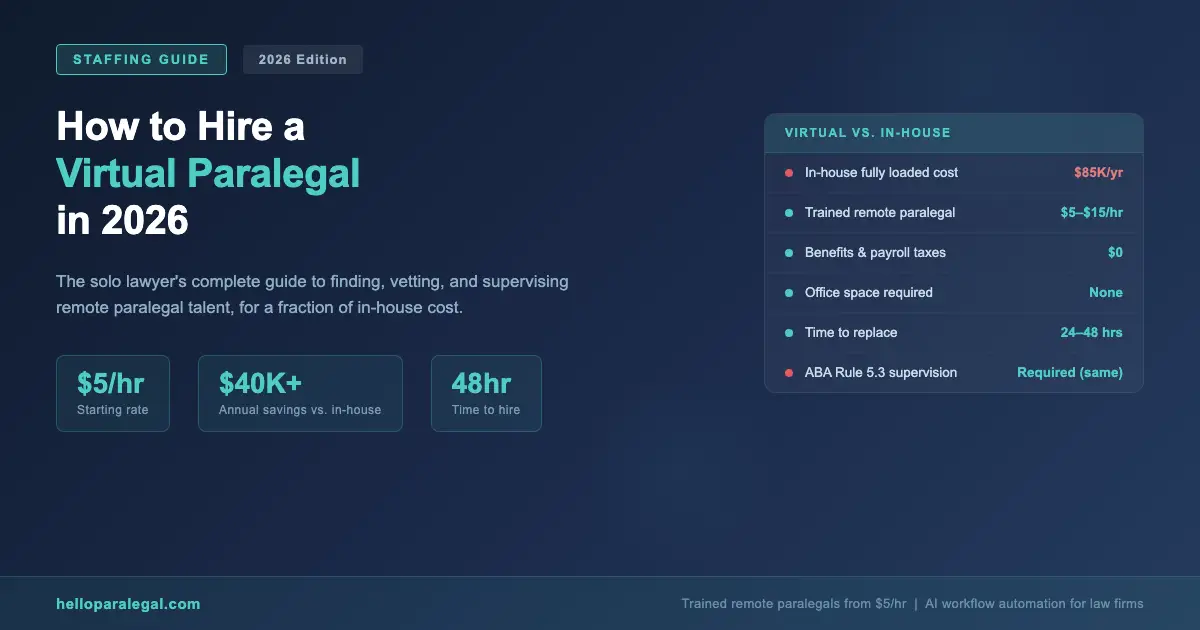
    Most attorneys think the comparison is simple: an in-house paralegal costs $50,000/year, a virtual one costs $25,000/year. That math is wrong, and it actually undersells how big the difference is.

    Cost Category In-House Paralegal Virtual Paralegal (Hello Paralegal)
    Base salary $52,000–$65,000/yr $5–$15/hr (project or retainer)
    Employer FICA (7.65%) $3,978–$4,973/yr $0
    Health insurance $7,000–$15,000/yr $0
    PTO / sick leave ~$2,500–$4,000/yr $0
    Office space + equipment $5,000–$12,000/yr $0
    Recruiting / onboarding $3,000–$8,000 (one-time) $0
    Total true annual cost $73,000–$109,000/yr $10,400–$31,200/yr

    A family law solo in Denver told us she spent $347/month more than she needed to for three years before she made the switch. That’s $12,492 she paid to keep a desk warm. It’s a number that’s hard to look at.

    The math changes depending on how many hours you need. Part-time virtual support (20 hrs/week) at $10/hr runs $10,400/year. Full-time at $15/hr is $31,200/year. Even at the top end, you’re saving $40,000+ compared to a fully loaded in-house hire, and you’re not paying for the hours when there’s nothing to do.

    What Most Articles Get Wrong About Hiring a Virtual Paralegal

    Most guides tell you to “post on Upwork” or “find a legal VA service.” That’s incomplete advice, and in some cases it’ll get you into trouble.

    Here’s what they skip:

    1. Not all “legal virtual assistants” are paralegals. A lot of VA services market themselves to law firms but employ general administrative staff with no legal training. They can schedule your calendar. They can’t draft a valid discovery response. The terminology is loose and the difference matters.

    2. Supervision is not optional, and “remote” doesn’t change that. ABA Model Rule 5.3 applies the same whether your paralegal is down the hall or in Manila. You need a workflow that puts attorney eyes on work product before it goes out. Most articles mention this in one sentence and move on. We’ll cover it properly below.

    3. The cheapest option isn’t always the best, but it’s rarely the worst either. Trained offshore paralegals from countries like the Philippines often have law degrees, are fluent in English, and are supervised by onshore legal professionals. The stereotype that “cheap means bad” doesn’t hold in a market where a Filipino attorney working as a paralegal costs $8/hr and a U.S. paralegal with the same credentials costs $35/hr.

    4. You need systems before you need a person. The biggest failure mode we see is a solo attorney who hires a great virtual paralegal, then spends the first month explaining everything verbally, ad hoc, with no written SOPs. The paralegal leaves. The attorney starts over. Systems first. Hire second.

    The Ethics Rules You Must Know Before You Hire

    You already know you’re responsible for your staff’s conduct. ABA Model Rule 5.3 makes that explicit. What you might not know is how that applies when your paralegal is overseas or working across state lines.

    The good news: physical location doesn’t change the ethics analysis. The ABA Guidelines for the Utilization of Paralegal Services are clear that paralegals can work remotely under appropriate supervision. The key word is “appropriate.”

    Here’s what that looks like in practice:

    • Attorney review before anything goes out. No correspondence, no document, no filing leaves without attorney eyes. Non-negotiable.
    • Client disclosure. Your engagement letter should note that paralegals work under attorney supervision. Don’t hide the ball.
    • Conflict checks. Your virtual paralegal needs access to your conflict system before they touch a new matter.
    • Confidentiality agreements. Every person who touches client files signs one. Remote paralegals included.
    • Secure communication. Clio’s secure client portal, encrypted email, or a practice management system with proper access controls. Not WhatsApp.

    New York State Bar Ethics Opinion 1259 specifically addressed AI-assisted and remote paralegal collaboration, confirming the supervision standard applies regardless of the tool or location. Read it if you’re in New York. If you’re in Texas, the Texas Paralegal Division’s standards are worth bookmarking.

    The bottom line: you can absolutely hire a virtual paralegal. You cannot abdicate supervision. The two aren’t in conflict, you just need a system.

    How to Hire a Virtual Paralegal: Step-by-Step

    Here’s exactly how we recommend approaching this, in order:

    1. Audit your current workload. Spend one week tracking every task that doesn’t require a law license. Be honest. Most solo attorneys find 60–70% of their weekly hours fall into this category. Those are the tasks you’re about to hand off.
    2. Write your SOPs before you post a job. A standard operating procedure doesn’t need to be fancy. A Google Doc with numbered steps is fine. Cover your top five recurring tasks: client intake, deadline tracking, document templates, billing entry, and status updates. If you can’t describe the task in writing, you can’t delegate it safely.
    3. Decide on your engagement model. Do you need a part-time retainer (10–20 hours/week), full-time dedicated support, or project-based help? This determines your budget and what type of service you should look for.
    4. Choose your sourcing channel. Options: a managed service like Hello Paralegal (where we pre-train and vet every paralegal and handle supervision workflow), a marketplace like Lawfecta or Upwork Legal, or a staffing agency like Stafi or Legal Soft. Each has trade-offs (covered in the next section).
    5. Interview for legal knowledge, not just English. Ask candidates to explain the difference between a motion to dismiss and a motion for summary judgment. Ask them to walk you through how they’d organize a new personal injury file. Generic VA experience doesn’t translate to legal work. Actual legal knowledge does.
    6. Run a paid test project. Give your top candidate a real task: draft a demand letter from your template, enter five time entries into Clio, or summarize a 30-page deposition. Pay them for the time. Review the output. This tells you more than any interview.
    7. Set up your supervision workflow. Before day one: share your SOP docs, set up a Slack channel for daily check-ins, define what needs attorney review (everything) versus what can go out with a quick approval email. Build the system now. Don’t build it while things are on fire.
    8. Define a 30-day onboarding ramp. Week 1: observation and documentation review. Week 2: supervised task execution. Week 3: semi-independent work with daily check-ins. Week 4: full workflow with weekly review. Fast ramps fail. Give the process room.

    Where to Find Virtual Paralegals in 2026

    Not all sourcing channels are the same. Here’s an honest comparison of the main options:

    Platform / Service Type Approx. Cost Legal Training Supervision Support
    Hello Paralegal Managed service From $5/hr Yes, pre-trained Yes, built-in workflows
    Legal Soft Staffing / VA service $25–$45/hr Varies No
    Lawfecta Marketplace $30–$75/hr Vetted profiles No
    Stafi Offshore staffing $8–$18/hr Variable No
    Upwork Legal Freelance marketplace $15–$60/hr Self-reported No
    ZipRecruiter / Indeed Job board Full salary hire Depends on hire No

    The managed service model is worth paying attention to. When you hire off a job board or marketplace, you own the whole onboarding and quality-control problem. When you use a service that pre-trains their paralegals in legal workflows and builds supervision into the process, a lot of that risk transfers.

    That’s the model we run at Hello Paralegal. We don’t just find you someone. We deploy a trained paralegal with the workflow infrastructure already built around them.

    What Tasks Should You Actually Delegate?

    Start with tasks that are high-volume, repetitive, and have clear right-or-wrong answers. Those are the easiest to hand off and the fastest to produce ROI.

    High-confidence delegation (start here):

    • Client intake forms and initial file setup
    • Deadline calendaring and statute-of-limitations tracking
    • Requesting medical records, police reports, and insurance documents
    • Time entry and billing reconciliation in Clio, MyCase, or PracticePanther
    • Drafting routine correspondence from templates
    • Preparing first drafts of discovery responses (attorney finalizes)
    • Updating case management notes after calls

    Medium-confidence delegation (build up to):

    • Legal research with attorney-defined scope
    • Deposition and document summaries
    • Settlement demand drafts from template
    • Preparing court filing packages for attorney review

    Never delegate (this list is short but absolute):

    • Legal advice to clients
    • Court appearances
    • Fee negotiations
    • Any communication that could be read as practicing law

    The fastest way to build trust with a virtual paralegal is to start with the high-confidence list, review their work consistently for the first 30 days, and expand scope gradually as they demonstrate accuracy. Trying to hand off everything on day one is how this goes wrong.

    Real Results: What Solo Lawyers Are Saving

    We don’t love vague case studies, so here are specific ones.

    A solo estate planning attorney in Phoenix was spending 18.4 hours a week on tasks that didn’t require a law license: intake calls, document assembly, Clio entry, client status emails. She hired a full-time virtual paralegal at $8/hr through Hello Paralegal. Total monthly cost: $1,408. In the first 90 days, she took on 11 additional estate planning clients she’d previously turned away because she didn’t have bandwidth. At her average fee of $2,200 per estate plan, that’s $24,200 in new revenue against $4,224 in paralegal cost.

    A PI firm in Atlanta with two attorneys and one in-house paralegal added two virtual paralegals at $10/hr to handle demand letter preparation and medical record collection. They cut their average case cycle time by 23 days. That’s not a soft metric. Faster resolution means faster contingency fee collection.

    A family law solo in Seattle replaced a $62,000/year in-house paralegal with a virtual paralegal at $12/hr (part-time). Annual savings after accounting for all costs: $41,300. She reinvested $18,000 of that into Lawmatics for automated follow-up, which generated 34 new consultations in the first six months.

    None of these are unusual. They’re the standard outcome when the setup is done right.

    Frequently Asked Questions

    Is it ethical for a lawyer to use a virtual paralegal?

    Yes. ABA Model Rule 5.3 permits lawyers to delegate work to non-lawyers, including virtual paralegals, as long as the attorney maintains direct supervision of all work product. The paralegal’s physical location is irrelevant to the ethics analysis. What matters is that the attorney reviews output before it goes to clients or courts, and that clients are informed paralegals are involved in their matter.

    How much does a virtual paralegal cost per hour?

    Virtual paralegal rates vary significantly by model. Trained offshore paralegals through managed services like Hello Paralegal start at $5/hr. U.S.-based remote paralegals typically charge $25–$75/hr depending on experience. Marketplace platforms like Upwork Legal run $15–$60/hr. The rate you pay depends on legal training, experience level, practice area specialization, and whether you’re hiring through a managed service or directly.

    What tasks can a virtual paralegal do for a solo attorney?

    A virtual paralegal can handle client intake, document drafting from templates, legal research, court filing preparation, medical record requests, time entry and billing in Clio or MyCase, client status communications, deadline calendaring, and discovery preparation. They cannot give legal advice, represent clients, set fees, or establish attorney-client relationships. The attorney must review all substantive work product before it goes out.

    How do I supervise a virtual paralegal properly?

    Proper supervision means: written SOPs for every recurring task, a daily or weekly check-in system (Slack works well), attorney review of all work product before it reaches clients or courts, a confidentiality agreement signed before any client files are accessed, and a secure communication platform. Tools like Clio, MyCase, and PracticePanther all support role-based access controls that let virtual paralegals work in your system without seeing matters they shouldn’t.

    Can a virtual paralegal work across state lines?

    Yes. Paralegals aren’t licensed by state, so there’s no bar admission issue. The attorney they work for must be licensed in the state where the work is being performed, and the attorney remains fully responsible for all work product. The paralegal can be located anywhere. Remote work arrangements don’t change the underlying ethics rules, only the supervision logistics.

    How long does it take to hire a virtual paralegal?

    Through a managed staffing service, you can have a vetted virtual paralegal placed and starting within 24 to 48 hours. Through a marketplace like Upwork or Lawfecta, expect one to two weeks to post, interview, and test candidates. Hiring directly via job boards takes longer, typically two to four weeks, and requires you to handle all vetting. The tradeoff is cost versus speed versus quality assurance.

    What’s the difference between a virtual paralegal and a legal virtual assistant?

    A virtual paralegal has substantive legal training and can handle tasks like document drafting, legal research, and discovery preparation. A legal virtual assistant typically handles administrative tasks like scheduling, email management, and data entry. The distinction matters because legal work requires legal knowledge. Hiring a general VA for paralegal tasks creates quality and liability risk. Always verify what training and legal experience a candidate actually has before handing them substantive work.


    If you’re ready to stop doing $15/hr work with a $400/hr brain, the next step is straightforward. Hello Paralegal places trained remote paralegals starting at $5/hr, with supervision workflows built in from day one. We’ve been inside the law offices. We know what breaks down. And we built the system around that.

  • How to Automate Client Intake for a Solo Law Firm Using AI in 2026

    If you’re a solo lawyer handling your own intake, you’re losing cases you don’t even know about. A potential client calls at 7 PM, gets your voicemail, and hires the firm that called back in three minutes. That firm might be worse than you. It doesn’t matter. Speed wins.

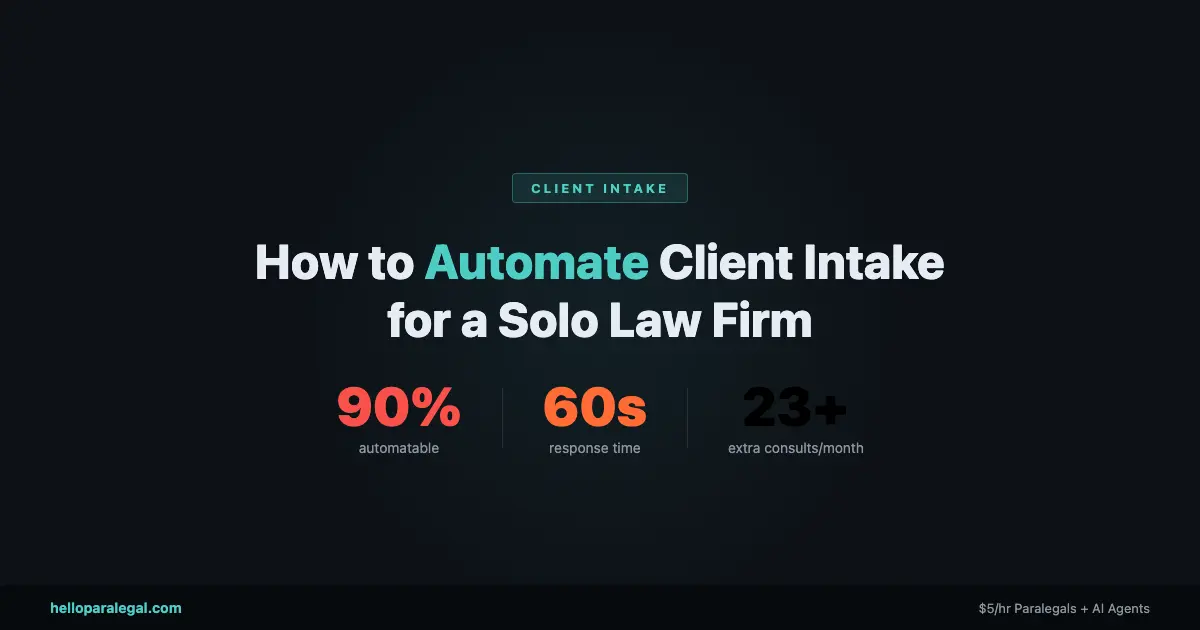
    Automating client intake for a solo law firm using AI is the single highest-ROI change you can make to your practice right now. Not a new website. Not more ads. Intake. And in 2026, you don’t need a tech team or a six-figure budget to do it.

    This guide covers exactly how to set it up, which tools actually work, and what it costs, based on real results from firms that have already done it.

    Why Your Intake Process Is Losing You Cases Right Now

    Here’s a number that should bother you: 67% of legal consumers make their hiring decision based on how fast a firm responds. Not on the lawyer’s experience. Not on reviews. Speed.

    Firms that respond within five minutes of an inquiry see a 400% higher conversion rate than those who take an hour or more. Most solo attorneys can’t respond in five minutes. You’re in court. You’re in a deposition. You’re sleeping.

    The average voicemail drop-off rate in legal intake is 74%. Three out of four people who hit your voicemail don’t call back. They move on.

    Think about what that means for your practice. If you’re getting 20 inquiries a month and converting 10%, you’re signing 2 cases. Fix intake, and you could be signing 7. Same ad spend. Same effort. More clients.

    This isn’t hypothetical. Frontier Law Center reduced their average case onboarding time from 90 minutes to 40 minutes after automating intake, and increased lead conversion from 10% to 35%. That’s the real impact of AI client intake done right.

    What AI Client Intake Actually Does

    Before we get into setup, let us be clear about what AI intake means in practice. It is not a chatbot that says Hello and then tells you to email your attorney.

    A proper AI intake system does several things at once:

    • Responds instantly, 24/7, to calls, web forms, texts, and chat messages
    • Asks practice-specific qualification questions (for PI: accident date, injury type, insurance; for divorce: marriage length, assets, kids, whether the other party retained counsel)
    • Scores and routes leads based on how valuable they are to your firm
    • Books consultations directly into your calendar
    • Sends confirmation emails and SMS reminders to cut no-shows
    • Pushes data into your CRM or case management software automatically

    Done well, the potential client never knows they are talking to an AI. They call, answer a few questions, get a consultation booked, and receive a confirmation. You wake up with three qualified leads scheduled.

    That is what we are building.

    The 5-Step System to Set Up AI Intake at Your Solo Firm

    You do not need to do all of this at once. Start with step one and layer on the rest over a few weeks.

    Step 1: Map Your Current Intake Flow

    Write down every way a potential client can contact you right now. Phone. Website form. Google Business message. Referral text. Email. Now write down what happens at each touchpoint, and how long it typically takes you to respond.

    Be honest. If you usually get back to web form submissions within 24 to 48 hours, write that down. That is where you are bleeding cases.

    Step 2: Choose Your AI Intake Tool

    This depends on your budget and how you receive most of your leads. See the comparison table below for a full breakdown. For most solo attorneys, the decision comes down to three options:

    • Lawmatics if you want an all-in-one CRM with AI built in
    • Smith.ai if most of your leads come in via phone and you want humans backed by AI
    • Clio Grow if you are already on Clio Manage and want the simplest path

    Step 3: Build Your Intake Script

    Every AI intake tool will ask you to define the questions it should ask. Do not skip this step. A generic intake form is almost as bad as no intake form.

    For a personal injury firm in Tampa, your script should capture: accident date, type of injury, whether the other party had insurance, whether you have spoken to an adjuster, and whether you have seen a doctor. That is your script. It is completely different from a family law firm in Denver, where you would ask about length of marriage, children, prenup status, and whether the other party has already retained counsel.

    Write these questions out before touching any software. The AI delivers them. You design the logic.

    Step 4: Connect Your Calendar and CRM

    The intake system is only valuable if it connects to the rest of your stack. At minimum, you need two integrations:

    1. Your calendar (so the AI can book consultations, not just collect contact info)
    2. Your case management software or CRM (Clio, MyCase, PracticePanther, or even a spreadsheet to start)

    Most tools have native integrations. Lawmatics integrates with Clio. Smith.ai integrates with MyCase. If your preferred tools do not connect natively, Zapier or Make can bridge most gaps for under /month.

    Step 5: Test It Like a Client Would

    Before going live, call your own number at 11 PM on a Friday. Fill out your own web form. Ask a weird question. See what happens.

    If the system handles an odd question gracefully and still moves the prospect toward booking, you are ready. If it gets confused and drops the conversation, fix the script first.

    This is the step most solo attorneys skip. Do not skip it.

    Best AI Tools for Solo Firm Client Intake in 2026

    Not every tool on this list is right for every firm. Here is an honest breakdown.

    Tool Best For Starting Price Key Strength Key Weakness
    Lawmatics Firms wanting full CRM + AI intake in one ~/mo QualifyAI and EngageAI built in; announced March 2026 Can feel like overkill for a true one-person shop
    Smith.ai Phone-heavy intake with human fallback ~/mo (30 calls) Real humans + AI hybrid; warm prospect experience Costs scale fast with call volume
    Clio Grow Existing Clio Manage users ~/mo bundled Native Clio integration; simple, fast setup Less AI depth than standalone tools
    MyCase + NextPhone Phone intake automation ~/mo add-on Calls sync to MyCase automatically Requires existing MyCase subscription
    Ruby Receptionist Firms wanting pure human touch ~/mo (50 min) Real humans; warm, professional tone No AI features; phone only
    Gavel Document-heavy intake (estate planning, contracts) ~/mo Intake data auto-populates legal documents Not a CRM; needs integration for follow-up

    Worth calling out specifically: Lawmatics announced their full AI Suite in March 2026, adding QualifyAI, EngageAI, and MerlinAI as native features. For a solo attorney who wants to do this once and not revisit it, Lawmatics at /month is the most complete setup available right now.

    For research on how these platforms compare, the Clio Legal Trends Report and the MyCase intake automation guide both have useful benchmark data.

    What Most Guides Get Wrong About AI Client Intake

    Most articles about AI intake treat it as a technology problem. Here are 10 tools. Pick one. That is the wrong frame.

    The biggest failures in AI intake come from three non-tech mistakes:

    Generic intake scripts. If your AI asks What is your legal issue and nothing else, you have not improved anything. You have added friction. The script matters more than the software.

    No follow-up after the initial message. A lot of solo attorneys install an intake chatbot on their website and call it done. But 60% to 70% of leads do not convert on first contact. You need automated follow-up sequences. Lawmatics and Clio Grow both support drip follow-up. Use it.

    Treating intake as separate from case management. If your intake data lives in one system and your case data lives in another, you will spend 25 minutes per new matter re-entering information manually. That is 29+ hours a month for a busy solo practice. The point of automation is eliminating that handoff entirely. Connect your systems.

    The attorneys who get the best results treat intake automation as a full workflow, not a single tool. The AI captures the lead. The CRM nurtures it. The calendar books it. The case management system inherits the data. No manual steps between them.

    What Does AI Intake Cost? An Honest ROI Breakdown

    Here are real numbers for a solo personal injury attorney seeing about 40 inquiries per month.

    Current state (no automation):

    • 40 inquiries per month
    • 10% conversion rate = 4 cases signed
    • Average case value: ,200
    • Monthly revenue from intake: ~,800
    • Time spent on intake manually: ~6.4 hours/month

    With AI intake automation:

    • Same 40 inquiries
    • 25% to 35% conversion rate (Frontier Law Center benchmark) = 10 to 14 cases signed
    • Average case value: ,200
    • Monthly revenue from intake: ~,000 to ,800
    • Time spent on intake: ~0.8 hours/month
    • Tool cost: to /month

    You are spending to a month to potentially add ,000 or more in monthly revenue. That is not a close call.

    Even a modest improvement from 10% to 20% conversion adds ,400/month against a tool cost. The ROI is obvious at almost any case volume.

    What about setup? Most AI intake tools take 4 to 8 hours to configure yourself. Hire someone from Hello Paralegal to handle setup and you are looking at a one-time cost to get it done right without spending a weekend learning the software.

    Is Automating Client Intake Ethically Compliant? Bar Rules Explained

    This is the question every solo attorney asks, and it is a fair one. The short answer: yes, AI intake is ethically compliant in virtually every jurisdiction, provided you follow a few rules.

    Disclosure. Some states require that clients be informed they may be communicating with an AI. California and New York have both issued guidance on this. The fix is simple: include a brief disclosure at the start of your intake chatbot or phone script. I am an AI assistant for Firm Name satisfies most state bar requirements and rarely causes prospects to disengage.

    Confidentiality. Information shared during intake may be subject to attorney-client privilege considerations. Use tools with data encryption and clear privacy policies. Lawmatics and Clio are built for legal compliance. Do not use a generic chatbot tool that stores data on unsecured third-party servers.

    Unauthorized practice of law. Your AI should not give legal advice. It can ask qualifying questions, describe your firm services, and book consultations. It cannot tell a prospect whether they have a strong case or explain what their rights are. Keep the AI in the logistics lane.

    At least 14 state bar associations have issued formal guidance on AI use in legal practice as of early 2026. Check the ABA AI resources for lawyers and your specific state bar guidance before deploying any AI client communication tool.

    And if you are in a state where disclosure requirements are ambiguous, default to disclosing. It protects you and it rarely costs you the client.

    Can a Solo Lawyer Set This Up Without a Tech Team?

    Yes. But without a tech team does not mean without any help at all.

    Here is what most solo attorneys can handle in a weekend:

    • Sign up for Lawmatics, Clio Grow, or Smith.ai
    • Write the intake script for your primary practice area
    • Connect it to Google Calendar or Outlook
    • Test it with a few fake submissions

    Here is what tends to get complicated without help:

    • Multi-step CRM automations (lead scoring, drip sequences, automatic follow-up)
    • API integrations between tools that do not connect natively
    • Conditional intake logic for multiple practice areas

    If you are in that second category, that is exactly what we do at Hello Paralegal AI workflow service. We map your intake process, build the automation, and hand it off working. You do not need to learn the tech.

    A PI lawyer in Phoenix had us build her intake system in February 2026. She was getting 30 to 35 calls a month and converting about 3 to 4 cases. Eight weeks later she is converting 9 to 12. Same ad spend. Same practice. Just a different first response.

    According to data from Everlaw 2025 legal AI report, lawyers using AI tools save up to 32.5 working days per year. That is six weeks back in your calendar. For a solo attorney, that is the difference between a sustainable practice and a burnout spiral.

    Frequently Asked Questions

    How long does it take to set up AI client intake for a solo law firm?

    Most solo attorneys get a basic AI intake system running in 4 to 8 hours. A full build with CRM integration, drip follow-up, and multi-practice-area logic takes 10 to 20 hours. If you hire someone to build it, expect 1 to 2 weeks from kickoff to go-live.

    Can AI intake handle multiple practice areas?

    Yes. Tools like Lawmatics and Clio Grow let you build separate intake flows for different practice areas. A divorce inquiry gets one set of questions. A PI inquiry gets another. The system routes prospects based on what they say at the start of the conversation.

    Will clients know they are talking to an AI?

    Modern AI intake systems are designed to sound natural, not robotic. Most clients do not notice or do not care. To stay compliant, include a brief disclosure at the start. This satisfies most state bar requirements and rarely causes prospects to disengage.

    What happens to leads that do not book a consultation?

    This is where CRM follow-up automation matters. If a prospect starts intake but does not book, your system should automatically send a follow-up email or text within 24 hours. Lawmatics calls this an incomplete lead sequence. Set it up once and it runs on its own. Firms typically recover 15% to 25% of unbooked leads this way.

    Is AI intake worth it for a solo practice with under 20 leads per month?

    Even at 15 to 20 leads per month, the math works if your average case value is above ,500. A 10-point improvement in conversion at 20 leads means 2 more clients monthly. At ,000 average case value, that is ,000/month on a tool. The ROI holds at almost any volume.

    What is the difference between a virtual receptionist and an AI intake agent?

    A virtual receptionist (like Ruby Receptionist) is a real human answering your calls. An AI intake agent is software. The hybrid model (Smith.ai) uses AI to handle the initial interaction and escalates to a human when needed. For most solo firms, the hybrid approach offers the best balance of cost and conversion quality.

    Does AI intake work for referral-based practices?

    Yes, but the friction point is different. Referral leads come in warm, so the priority is speed-to-consultation rather than qualification. An AI intake system still helps by booking the consultation the moment the referral reaches out, rather than playing phone tag for three days. Even warm leads go cold if you are slow.

    Stop Losing Cases to a Slow First Response

    Client intake is the one part of your practice where a /month investment can directly translate to tens of thousands of dollars in additional annual revenue. The technology is there. The tools are built for solo attorneys. The bar rules are manageable.

    What is actually stopping most solo lawyers is not budget or ethics. It is time. Setting it up takes time you do not have.

    That is the problem Hello Paralegal solves. We build the intake automation for you, connect it to your existing tools, and hand it off working. Learn more at helloparalegal.com or explore our AI workflow automation service for law firms.

  • Can AI Answer Phone Calls for Your Law Firm? Yes. Here’s How.

    AI Phone Agents for Law Firms: How They Answer, Qualify, and Book Clients Without You

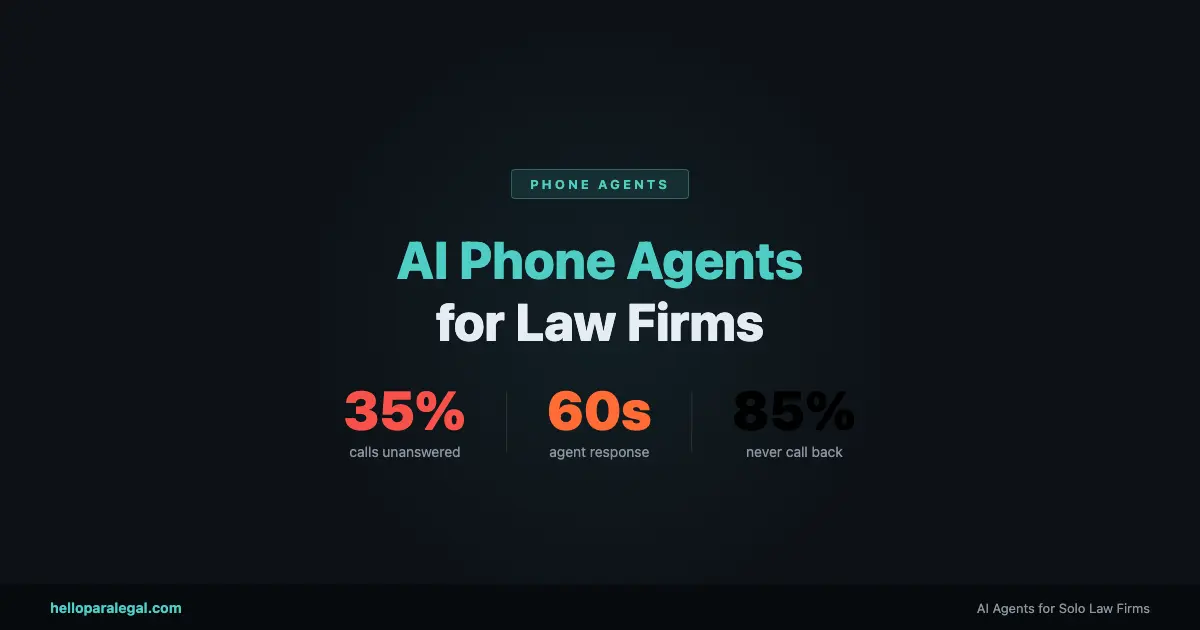
    35% of calls to solo law firms go unanswered.

    That’s not a problem with phone companies or bad reception. It’s a structural problem. Solo lawyers are in depositions, in court, in consultations, or at lunch. There’s no one staffed to the phone. The call rings out. And 85% of callers who don’t reach someone live don’t leave a voicemail and never call back.

    The legal industry loses an estimated $109 billion in potential revenue annually to missed calls. For a solo PI lawyer billing at $350/hour, a single missed contingency case could represent $15,000 to $80,000 in fees. The math isn’t subtle.

    The standard solution has been answering services: Smith.ai, Ruby Receptionists, and similar human-staffed operations that take messages and patch through urgent calls. Those services are better than voicemail. But they’re not what we’re talking about here.

    We’re talking about AI phone agents. Fully autonomous systems that answer your calls, conduct real qualification conversations, run conflict checks against your CRM in real time, book consultations into your calendar, and send confirmation emails and texts. No message-taking. No “we’ll have someone call you back.” The intake happens on the call.

    Here’s how they actually work.

    What “Answering the Phone” Actually Means for an AI Agent

    When people hear “AI answers your calls,” they picture a robotic IVR menu. “Press 1 for billing. Press 2 for case status.” That’s not this.

    An AI phone agent conducts a natural spoken conversation. The caller speaks, the agent listens and processes what they said using an LLM, formulates a response, and speaks back using voice synthesis that sounds like a person. Modern voice AI has gotten to the point where the latency between spoken input and spoken response is under 800 milliseconds. That’s within the normal range of human conversational pauses.

    The agent isn’t reading a script. It’s generating responses in real time based on what the caller says. If the caller goes off-topic, the agent handles it. If they ask a question the agent wasn’t explicitly programmed for, it either answers from its knowledge base or gracefully redirects. If the caller gets emotional or upset, the agent detects that and shifts tone or escalates appropriately.

    That’s the difference between voice AI in 2022 and voice AI in 2026. The underlying models are dramatically more capable. A conversation with a well-built AI phone agent doesn’t feel like a chatbot. It feels like talking to someone who knows what they’re doing.

    What the Agent Actually Does on a Call

    Let’s walk through a real call scenario. A potential client calls your PI firm at 7:18pm on a Wednesday. You’re at your kid’s soccer game. Here’s what happens.

    The call connects. The agent answers with your firm’s name and a natural greeting. “Thanks for calling [Firm Name]. I’m the virtual intake assistant here. What brings you in today?”

    The caller explains. “Yeah, I was in a car accident last week. Some guy ran a red light and hit my car. I’ve been having back pain since then and my car’s totaled.”

    The agent qualifies. It asks about the date and location of the accident, whether the caller received medical treatment, whether they have the other driver’s insurance information, and whether there were any witnesses. These aren’t rigid checkbox questions. The agent listens to what the caller offers voluntarily and only asks for what’s missing.

    The conflict check runs. While the conversation is happening, the agent has already pinged your CRM with the caller’s name and the defendant’s name. Within two seconds it has a result: no conflict. This happens in the background without interrupting the conversation.

    The agent qualifies the case. Based on the criteria you defined during setup (injury type, liability clarity, insurance status, statute window), the agent determines this is a case that meets your intake criteria. It proceeds to booking.

    A consultation gets booked. The agent checks your calendar availability in real time and offers two or three options. The caller picks one. The appointment is created in Google Calendar, linked to a new matter record in Clio, and the caller gets a confirmation text and email within 60 seconds of hanging up.

    You get a summary. When you check your phone after the soccer game, you have a text alert: new PI lead booked for Thursday at 10am, case summary attached, no conflict, medical treatment confirmed. You didn’t do a single thing.

    That’s a complete intake cycle. From first ring to booked consultation, handled autonomously, at 7:18pm on a weeknight.

    The Components That Make This Work

    There are four technical components running simultaneously during that call. Understanding them matters if you want to evaluate any phone agent product honestly.

    Real-Time Speech Processing

    The caller’s voice is converted to text in real time using speech-to-text. Modern systems handle accents, interruptions, background noise, and crosstalk well. This text goes to the LLM for processing. The LLM’s response is converted back to speech using text-to-speech synthesis. The whole cycle happens fast enough that it doesn’t feel like a delay to the caller.

    LLM Reasoning

    The language model is the decision-maker. It reads the conversation history in context, decides what information is still needed, formulates the next question or response, and determines when to trigger an action (conflict check, calendar lookup, booking). The model follows your defined intake criteria but exercises judgment in how it gets there. If the caller volunteers information before the agent asks for it, the agent doesn’t ask again.

    Live System Integration

    During the call, the agent is making real API calls to your actual systems. The conflict check is a live query to your CRM. The calendar availability check is a live query to Google Calendar or your scheduling tool. The booking action creates a real appointment and a real matter record. This is not a demo environment. The data lands in your actual systems immediately.

    Escalation Logic

    Every agent has defined escalation paths. If the caller says something that triggers an urgent flag (active emergency, claim against a current client, complex multi-party situation), the agent can warm-transfer the call to you, to another number, or to voicemail with a priority flag. If the case type is outside your defined practice areas, the agent politely explains that and can offer a referral number. Nothing falls through a gap.

    How AI Phone Agents Compare to the Alternatives

    Capability Voicemail Human Answering Service AI Phone Agent
    Available 24/7/365 Yes Usually (higher cost after hours) Yes
    Qualifies the caller No Basic (script-based) Yes (adaptive, conversational)
    Runs conflict check No No Yes (live CRM query)
    Books consultation on the call No Sometimes (limited calendar access) Yes (real-time calendar integration)
    Creates matter record automatically No No Yes
    Sends follow-up after the call No No Yes (email + SMS automatically)
    Handles multiple concurrent calls Yes Limited by staff Yes (unlimited)
    Monthly cost (estimate) Free / included $300 to $1,200/mo Custom (typically lower)
    Consistent quality N/A Variable (staff dependent) Yes (same performance every call)

    The Speed-to-Response Problem Is the Conversion Problem